We are incredibly proud to announce a major milestone for Showsync. Starting today, you can download Beam for Max 1.0 from the Max Package Manager!
Beam for Max is package for Cycling 74’s Max and offers a seamless translation of MSP/MC audio signals into lighting parameters, pixel mapping Jitter matrices, and merging lighting signals. Designed for flexible I/O connectivity and routing options via Art-Net, DMX-USB devices, and CITP.
Announcement trailer
Beam for Max provides a range of tools that open up a new visual workflow for creating perfect synchronization or counterpoint between light, sound and visuals.
Purchasing a one-time license for €99 allows for uninterrupted DMX output in real-world settings.
The update is a free upgrade for those who purchased a Beam for Max early bird license.
Design your own lighting instruments
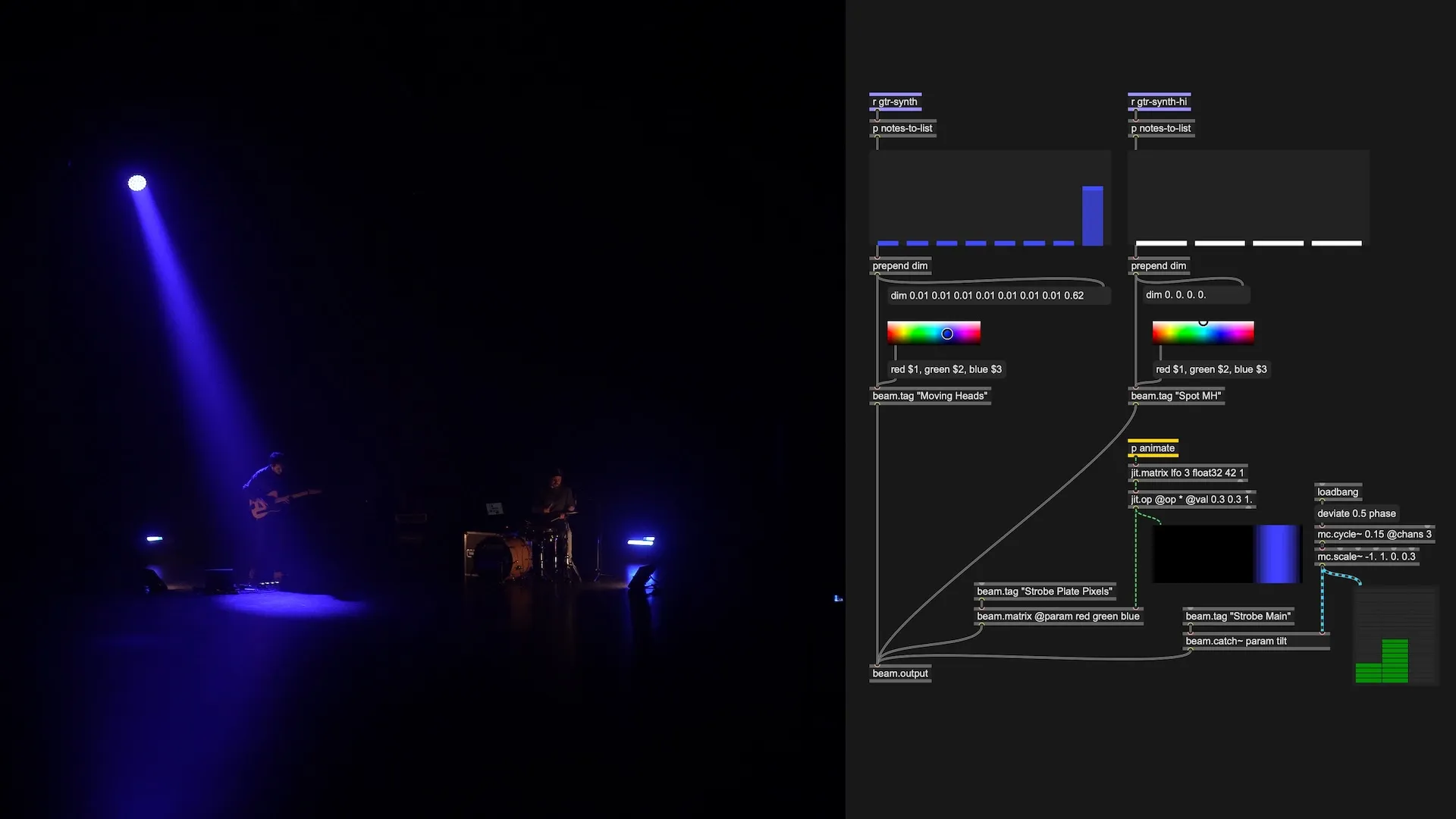
Whether you are a musician, VJ, lighting designer, installation artist, data scientist, or even a Christmas lights enthusiast, you can now use the power of Max to work with lighting fixtures in exactly the way you envision.
Interact with lights through custom control interfaces, MIDI, sensors, joysticks, real-time data feeds from web APIs, generative systems, and more. You now have the ease and convenience you are used to from working with sound and visuals in Max.
Control lights with audio signal
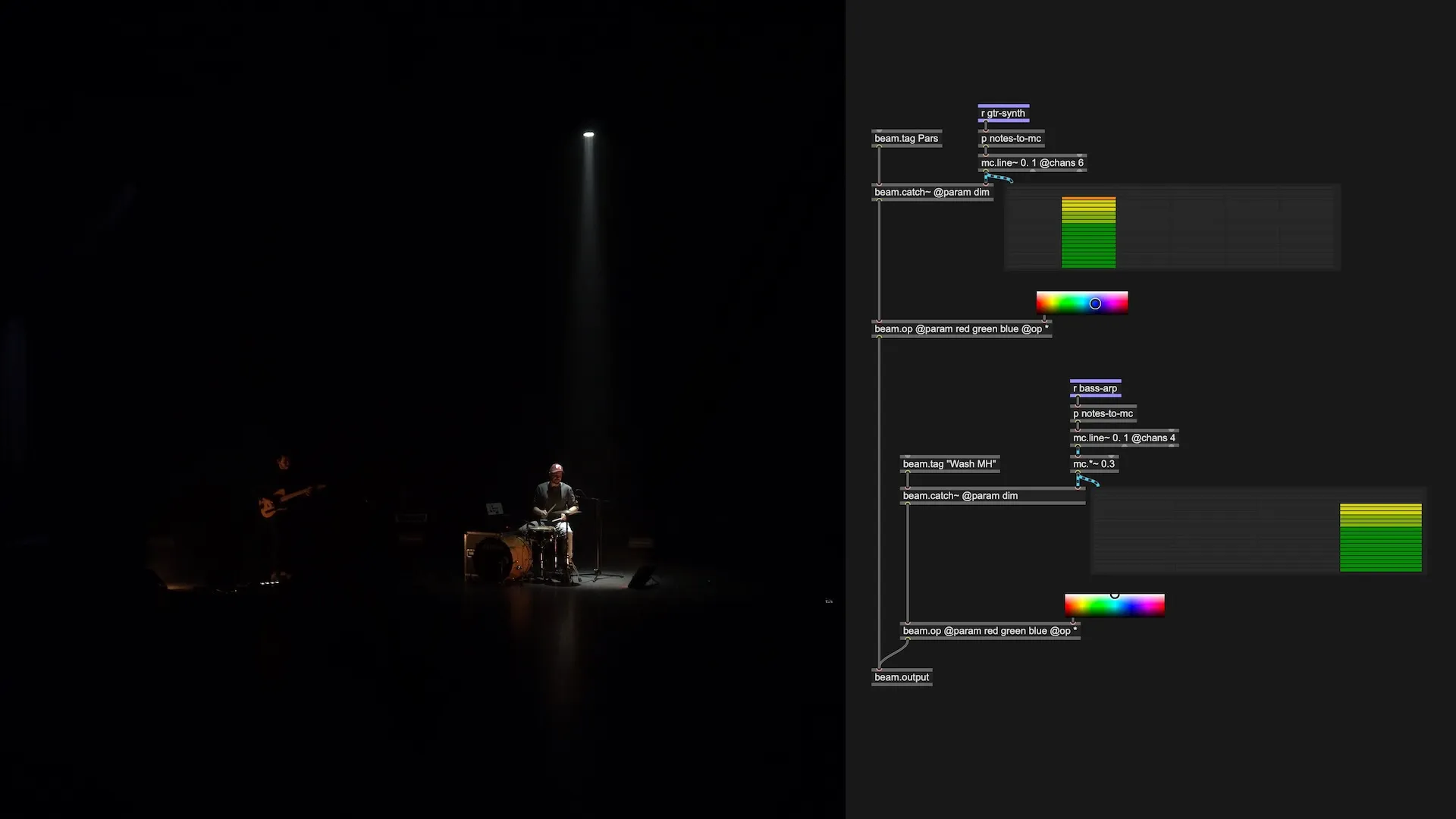
Synchronizing lighting with sound is as simple as connecting a patch cord from an MSP audio signal object to the beam.catch~ object and specifying the lighting parameter you want to control with the incoming audio signal values.
Create rich motions for multiple fixtures at once using MC objects. Multichannel audio signals are automatically distributed across the available fixtures. This makes for a powerful way of designing spatial experiences with sound and light as one.
Pixel mapping using Jitter
Easily map pixels from a shader, video or image source directly to any lighting parameter of your fixtures.
The beam.matrix object accepts a Jitter matrix input and automatically maps each Jitter plane to the specified lighting parameters, distributing the values of cells across the available fixtures.